OpenSocial
Your socials, on autopilot.
AI runs online
not yet reviewed by publik. It is live now; the founder has not reviewed this version yet.

Where OpenSocial’s AI runs, and what it costs
Prices are for one typical use: one request of about 1,500 words sent and 375 words back. A higher quality score is better.
On your computer
Not checked yet: publik has not read whether OpenSocial can run its AI on your computer.
publik API
- Price
- $0.0100 per use, $10.00 per 1,000 usespublik-balanced, the default level
- Quality
- MiMo-V2.6-Pro: 46
- Setup
- Not built into OpenSocial yet. A publik API key works wherever OpenSocial takes an OpenAI-compatible address.
Your own key
- Price
- $0.0013 per use, $1.31 per 1,000 usesMiMo-V2.6-Pro at OpenRouter’s list price, before its fee for buying usage
- Quality
- MiMo-V2.6-Pro: 46
- Setup
- Open a provider account, add a card, paste the key into OpenSocial.
Quality and price, side by side
| Model | Quality | Per 1,000 uses |
|---|---|---|
| On your computer (Ollama, 4-bit download size) | ||
| Granite 4.2 3B2.2 GB | 9 | $0 |
| Phi-4 Mini2.5 GB | 6 | $0 |
| Llama 3.1 8B4.9 GB | 7 | $0 |
| gpt-oss 20B14 GB | 9 | $0 |
| Gemma 4 31B20 GB | 19* | $0 |
| Qwen3.5 35B-A3B24 GB | 19* | $0 |
| publik API | ||
| publik-fastGLM-5.3 Flash | 42 | $1.00 |
| publik-balancedMiMo-V2.6-Pro · OpenSocial | 46 | $10.00 |
| publik-smartGPT-6 Sol | 48 | $18.00 |
Quality: Artificial Analysis Intelligence Index v4.3.2, read 2026-09-22 (publik API models 2026-09-25); * = estimated by Artificial Analysis. Sizes: the Ollama library, read 2026-09-22.
What you pay for
- On your computer: nothing per use. You pay in disk space, memory and electricity, at lower quality.
- publik API: publik’s published price for each use, in dollars, from your publik balance. It is above the model’s cost; the difference runs publik and pays the app’s builder.
- Your own key: the provider’s price, billed to an account you keep with the provider.
How to install OpenSocial
Every step written out. No terminal experience needed. Pick your setup.
README
Open in GitHub
OpenSocial
One composer, every platform.
Link your social accounts, write once, publish everywhere — with automations, analytics and an AI co-writer built in.




Why
Every creator knows the drill: the same post gets retyped five times across five tabs. OpenSocial collapses that into a single workspace — compose, tailor per platform, schedule or publish, and let automations handle the re-posting while analytics show what actually worked.
Features
Composer — write once, publish to every linked account at once. Per-platform character limits are enforced live, each platform can get a customized variant of the text, image attachments by URL, plus a real-time preview that mimics how the post will look on X, Instagram, LinkedIn and friends. Publish immediately, schedule for later, or save a draft.
Automations — cross-posting rules that run themselves. "When I post to X → also post to Threads and Bluesky after 5 minutes." Text is trimmed to each platform's limit automatically, delays are configurable, and every rule tracks its own run count. A background worker publishes anything due.
Analytics — audience growth, engagement over time, impressions trend, per-platform performance with engagement rates, and a top-performing-posts leaderboard. Engagement numbers are pulled live from the platforms that expose them (Bluesky, Mastodon, X, Threads, Reddit) via Sync live metrics; the dashboard is empty until you bring data in, and nothing is generated for you.
AI Assistant — streaming chat that drafts posts, builds content calendars, suggests hashtags and sharpens hooks. One-click "send to composer" on any reply. Works with three providers:
| Provider | Model handling | Get a key |
|---|---|---|
| OpenRouter | Auto — scans all $0 free models, picks the strongest available per message | openrouter.ai/keys |
| PubliHQ | Gateway default model, streaming | publihq.com |
| OpenAI | gpt-4o-mini by default, streaming | platform.openai.com |
Accounts — connect profiles across X, Instagram, TikTok, LinkedIn, Facebook, Threads, Bluesky, Mastodon, YouTube, Pinterest and Reddit. Every connection is verified live against the platform API before it's saved, real profile data and follower counts come straight from the source, and each account has its own cross-post toggle and re-sync button.
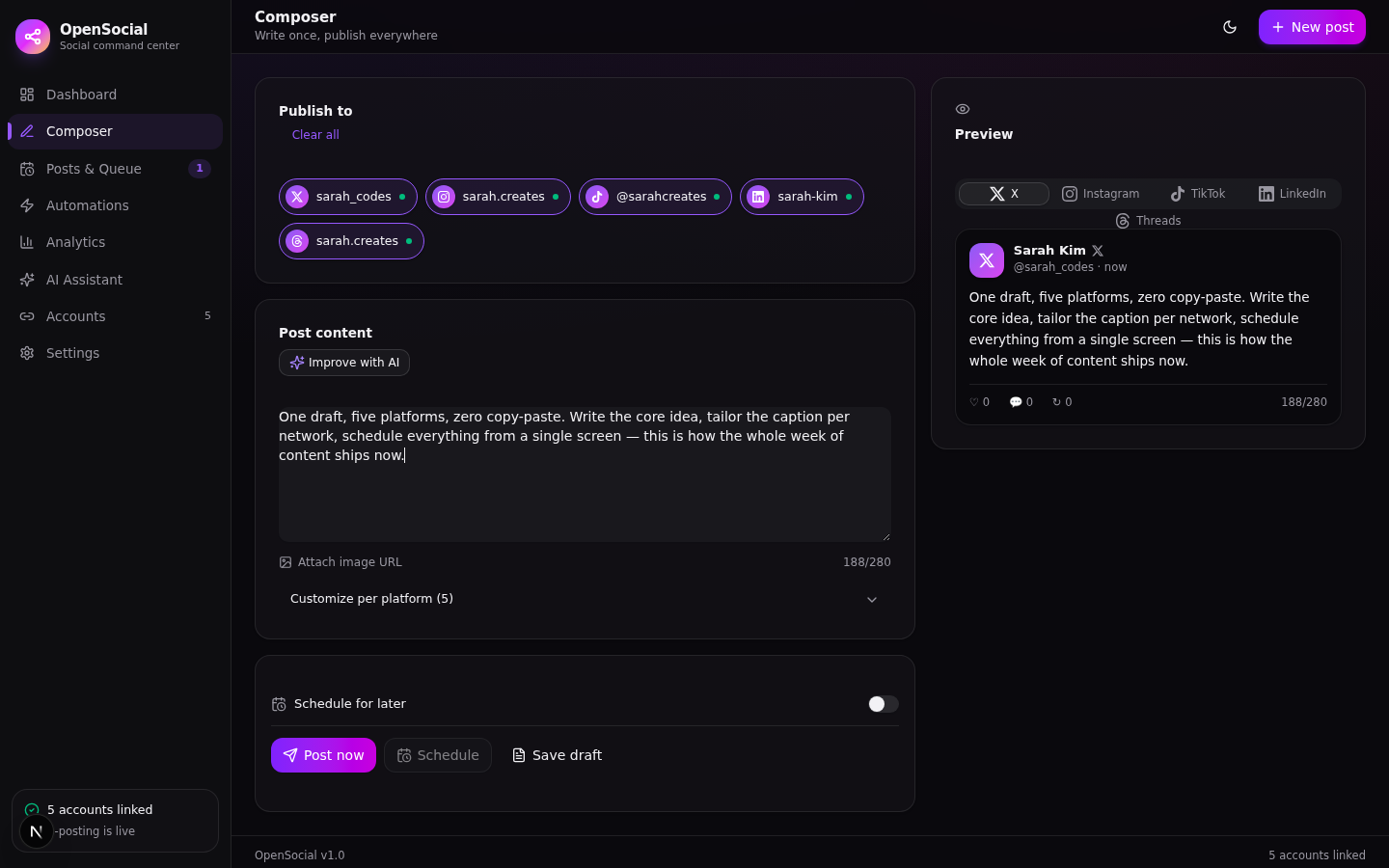 | 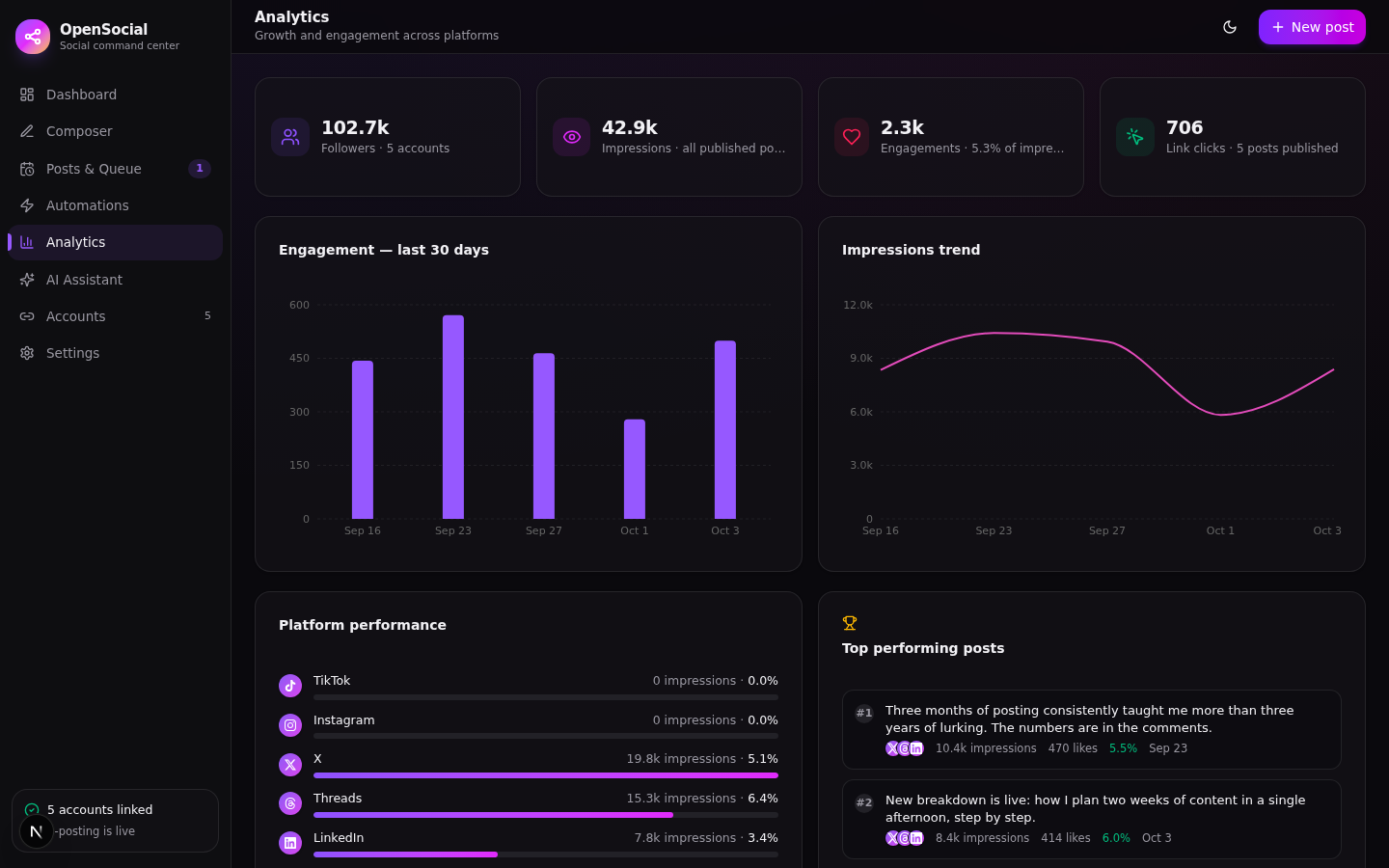 | 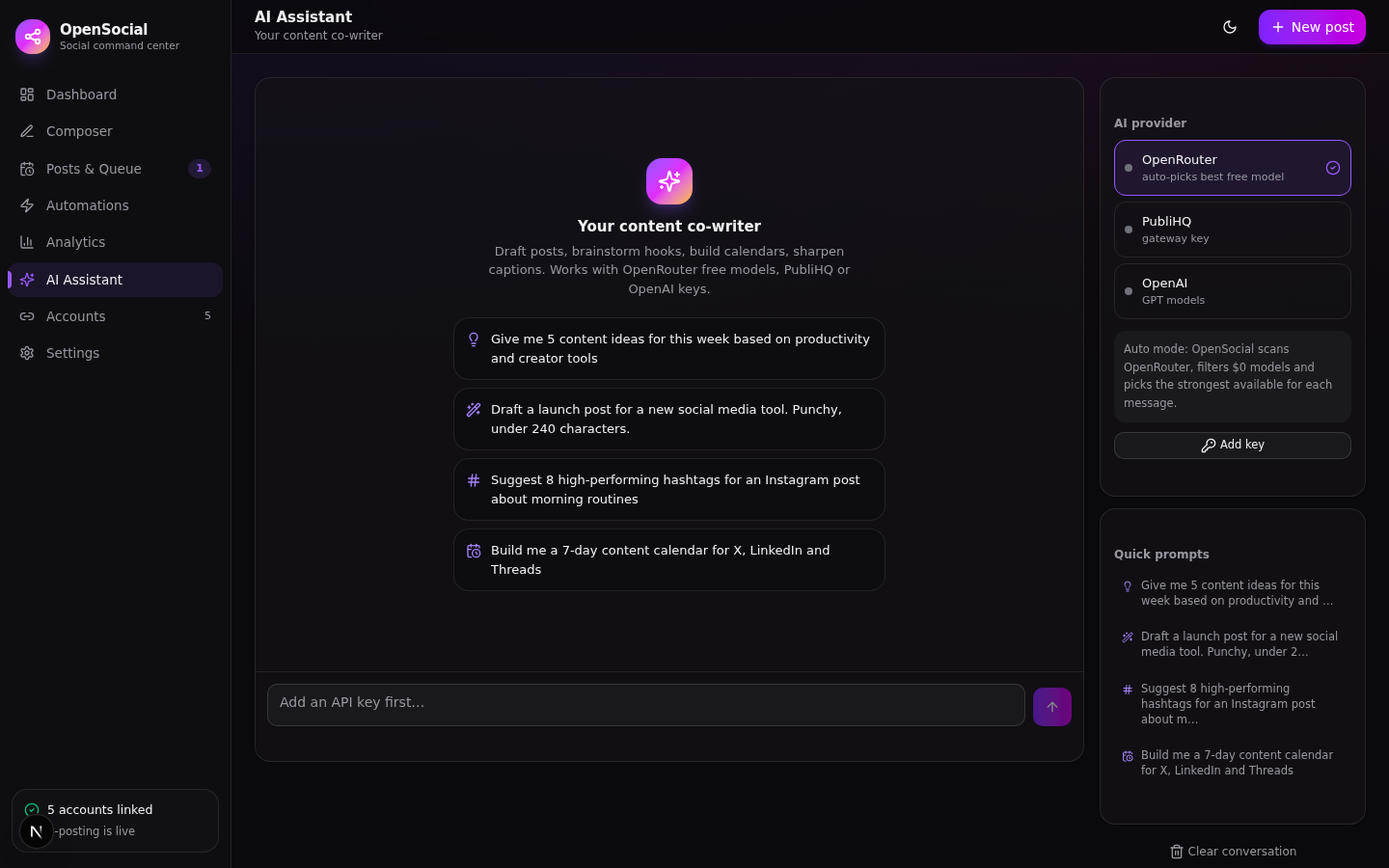 |
| Composer + live preview | Analytics | AI Assistant |
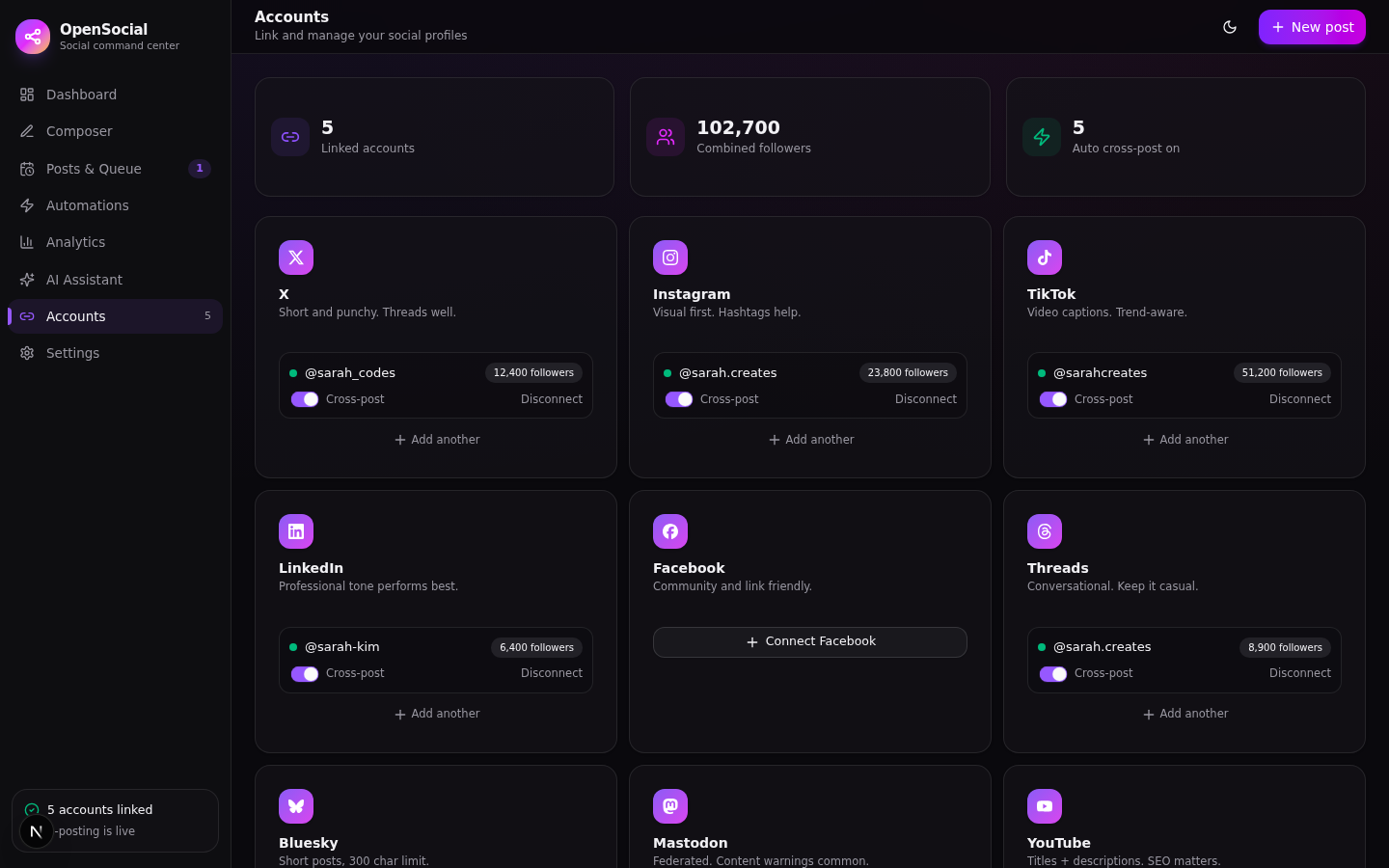 | 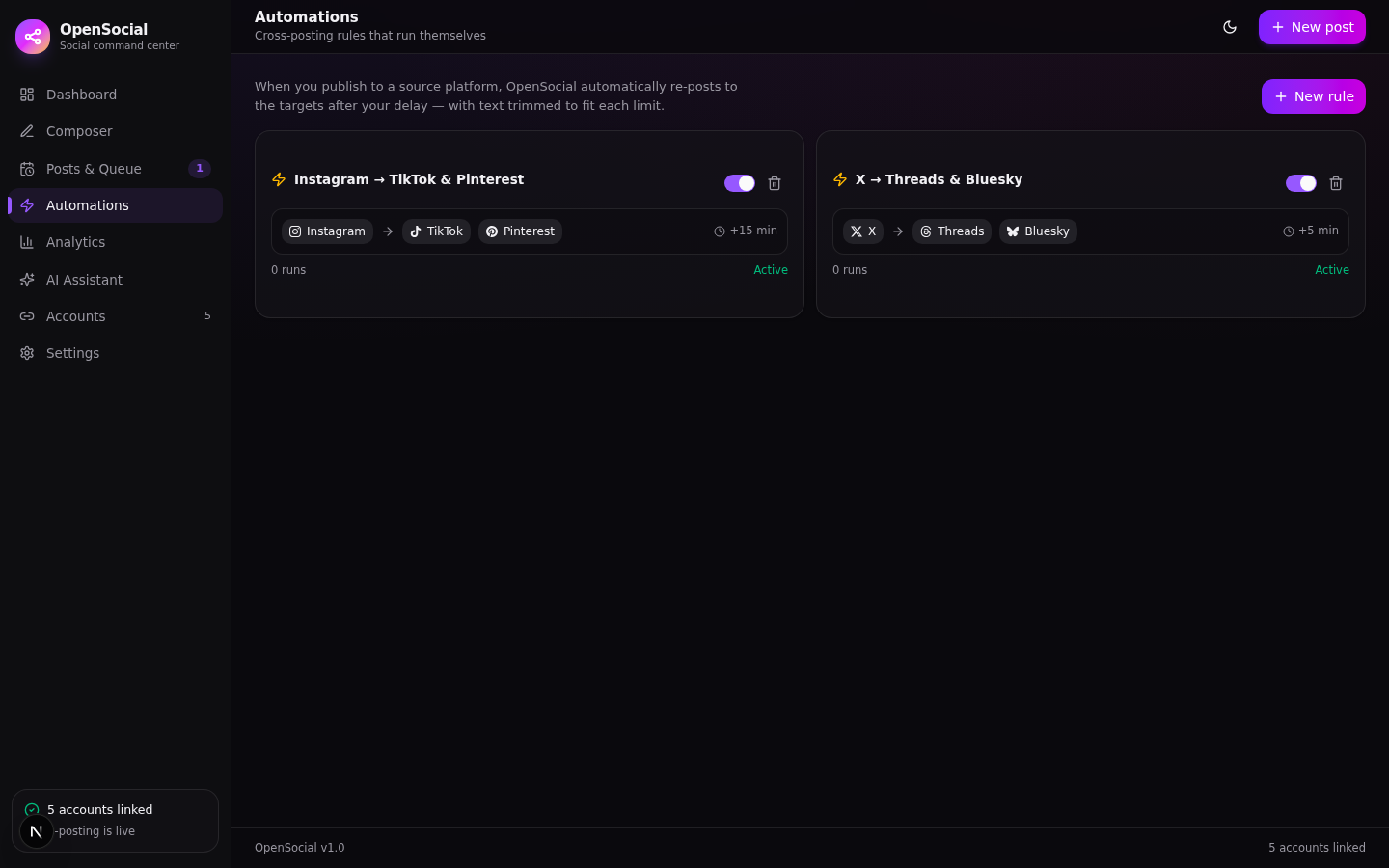 | |
| Account linking | Automations |
Linking accounts
Connecting an account is a live verification against the platform's own API — nothing is stored until the platform confirms the credentials work. OpenSocial then pulls your real profile: handle, display name, follower count, profile URL. The number you see in the sidebar is the number the platform reported.
One-click OAuth. Seven platforms connect with a real "Login with …" flow — Mastodon needs nothing but your instance domain (OpenSocial registers itself on the fly), and YouTube, LinkedIn, Pinterest, Facebook, Reddit and X take a one-time paste of your developer-app credentials (the exact redirect URI is shown and copyable in the dialog). After that, linking an account is a single click: you're sent to the platform, you sign in, the token exchange happens server-side and the verified account lands in your workspace — no more manual refresh-token or access-token dances. Prefer the old way? Every OAuth platform still has a manual-credentials option.
Each platform defines what it needs:
| Platform | You provide | Publishing | Live metric sync |
|---|---|---|---|
| Bluesky | Handle + app password | ✅ text + image | ✅ likes, replies, reposts |
| Mastodon | Just your instance (OAuth) — or an access token | ✅ text + image | ✅ favourites, boosts, replies |
| X | Your dev app's consumer keys (OAuth 1.0a) — or manual tokens | ✅ text + image | ✅ likes, replies, reposts, impressions* |
| Threads | User ID + access token (Meta app) | ✅ text + image | ✅ likes, replies, quotes |
| Your web-app client keys (OAuth) — or a refresh token + subreddit | ✅ text (self post) | ✅ score, comments | |
| YouTube | Your Google OAuth client (OAuth) — or a manual token | — (no text-post API) | channel + subscriber sync |
| Your LinkedIn app keys (OAuth) — or a member token | ✅ text | — (restricted API) | |
| Your Meta app keys (OAuth, Page token resolved for you) — or manual page token | ✅ text / photo | — | |
| Business user ID + token | ✅ image required | — | |
| Your Pinterest app keys (OAuth) — or a token + board ID | ✅ pin (image required) | — | |
| TikTok | Token | — (audited Direct Post only) | profile + follower sync |
* subject to your X API tier.
Every connector lives in src/lib/adapters/ — one file per platform, plain fetch, zero external dependencies. X posts are signed with real OAuth 1.0a HMAC-SHA1; Reddit exchanges its refresh token for a fresh access token on every call; Threads and Instagram go through the two-step container → publish flow with status polling.
When delivery fails, it says so. A target that the platform rejects is marked failed with the platform's actual error message, the post moves to the retryable state, and accounts whose tokens expire get flagged expired in Accounts. Metrics sync on demand (Analytics → Sync live metrics, or the per-account refresh button) pulls only what each API actually exposes — the rest stays empty instead of being invented.
Tokens and secrets are stored server-side in your own SQLite database and are never returned to the browser — the UI shows masked previews only. For platforms above marked "your dev app", you create a free developer app on that platform and paste its credentials; no OpenSocial service sits in the middle.
AI keys
Keys are added in-app (Settings → AI providers or the panel in the AI Assistant), stored server-side in the database, masked everywhere in the UI, and never returned in full to the browser. The chat endpoint streams SSE end-to-end.
The OpenRouter auto-pick logic (src/lib/ai.ts) fetches the model catalog, filters models where prompt and completion pricing are both 0, prefers a curated list (DeepSeek V3, Llama 3.3 70B, Gemini Flash, Qwen 2.5 72B …), falls back to the highest-context free model, and caches the choice for 10 minutes. The resolved model id is returned in the X-OS-Model response header and shown under each conversation.
Stack & structure
Next.js 16 (App Router) · TypeScript · Tailwind CSS 4 · shadcn/ui · Prisma + SQLite · Recharts · Zustand · next-themes
src/
├── app/
│   ├── api/
│   │   ├── accounts/        # live-verified connect / disconnect / sync
│   │   ├── posts/           # CRUD + publish + due-post worker
│   │   ├── automations/     # cross-posting rules
│   │   ├── analytics/       # aggregated metrics
│   │   ├── metrics/sync/    # live engagement pull from platform APIs
│   │   ├── ai/chat/         # streaming SSE proxy to providers
│   │   ├── ai/models/       # OpenRouter free-model catalog
│   │   ├── settings/        # API key storage (masked)
│   │   ├── reset/           # wipe workspace data
│   │   └── chat/history/    # persisted conversations
│   └── page.tsx             # single-page app shell
├── components/opensocial/   # one file per view + shell
└── lib/
    ├── adapters/            # real platform connectors (one per network)
    ├── ai.ts                # provider routing + free-model picker
    ├── publisher.ts         # real delivery engine + automation firing
    ├── platforms.ts         # platform metadata, limits, credential specs
    └── store.ts             # client state
prisma/schema.prisma         # 7 models
docs/screenshots/            # what you saw above
Scripts
Run the same commands with Bun or pnpm if you prefer — bun run dev, pnpm dev.
| Command | What it does |
|---|---|
npm run dev | Dev server on port 3000 — also creates .env and the database automatically |
npm run build / npm run start | Production build & serve |
npm run db:push | Apply schema to the database |
npm run db:generate | Regenerate the Prisma client |
npm run lint | ESLint |
npm run pack | Bundle the project into opensocial.zip (needs the zip CLI) |
npm run db:reset | Wipe accounts, posts, automations, chat and keys |
Roadmap
- Native media library with per-platform crop presets
- Queued calendar drag-and-drop
- Comment inbox across platforms
- Multi-user workspaces
FAQ
Is the posting real? Yes. Every publish is a real HTTP call to the platform's API with credentials you supply, and Bluesky and Mastodon work end-to-end with nothing more than an app password / access token. Outcomes are honest: published targets store the platform's post ID and permalink, rejected targets store the platform's error text, and engagement numbers only ever come from the platforms themselves — never generated.
Why do X / LinkedIn / Meta platforms need my own developer credentials? Those APIs require a registered application with your account as the owner. You create a free app on the platform's developer portal, paste its keys/tokens into OpenSocial, and the app talks to the API directly — nothing is proxied through a third-party service.
Where are my API keys stored? In your local SQLite database (db/custom.db), server-side only. The browser only ever receives a masked preview. The database file is gitignored — never commit it or copy it into a repo.
Which AI provider should I pick? OpenRouter — the auto free-model routing costs nothing to try.
Built with Next.js 16. Licensed under MIT.